← Back to GL.iNet Modem / Router UFB Settings
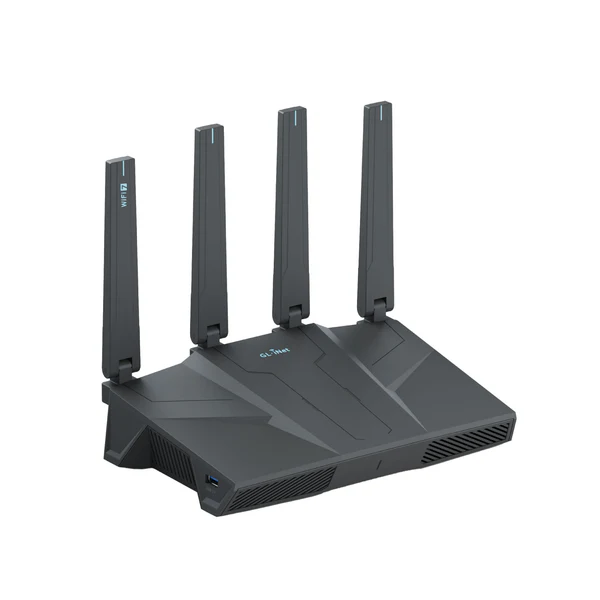
GL.iNet GL.iNet MEET Flint 2 Settings
Official page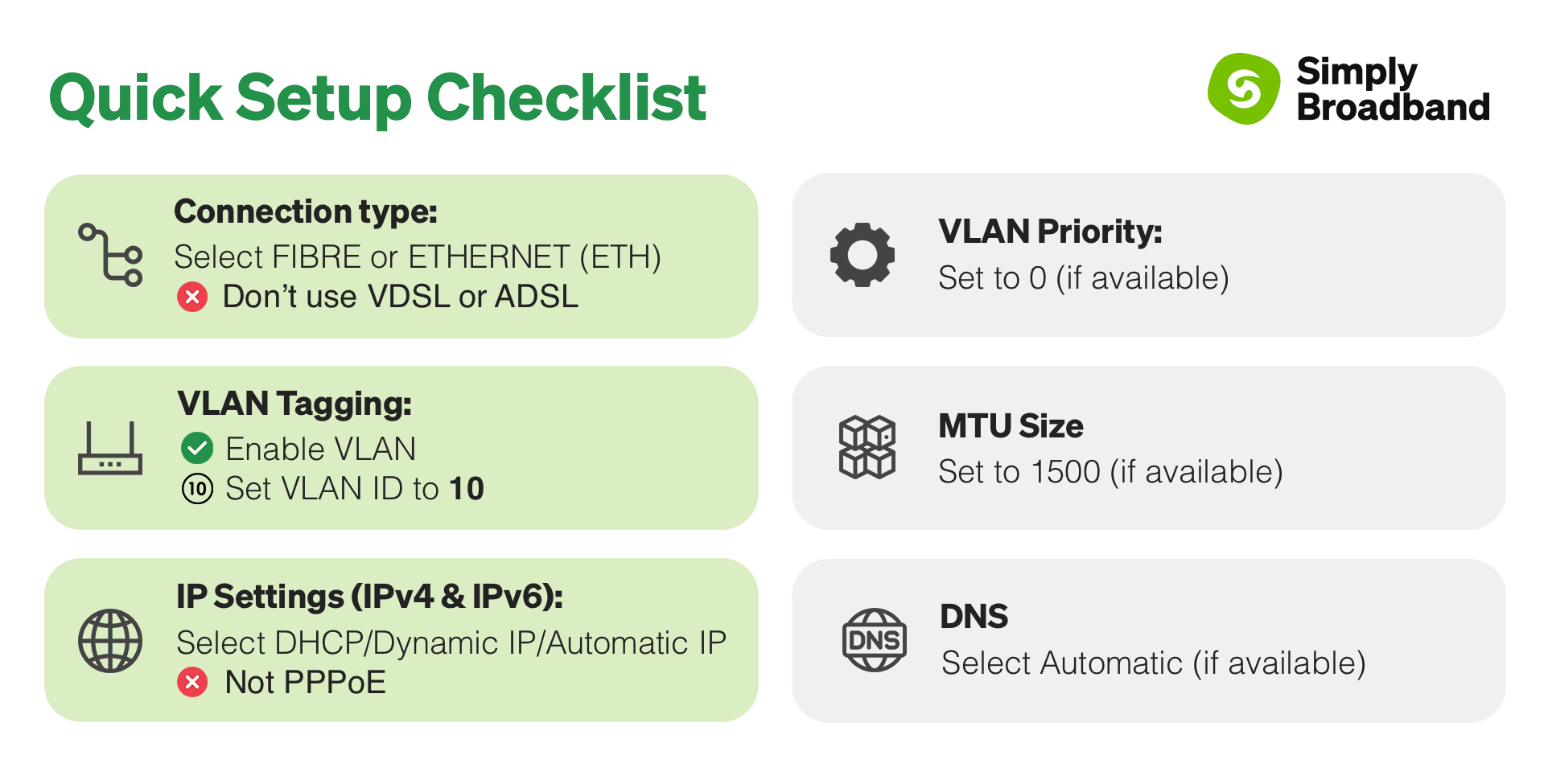
Considerations for this router
- This router has an app that you can manage your device through:
- Android: https://play.google.com/store/...
- IPhone: https://apps.apple.com/us/app/...
- If using the app we will only be able to provide basic troubleshooting assistance.
- You can also use the default gateway IP address to access the admin panel via a web-browser.
Step-by-step guide to set up GL.iNet MEET Flint 2 router
1. Connect your router to the ONT
Physical Connection:
- Connect the WAN port of the GL.iNet MEET Flint 2 router to the first port (LAN1 or GE1) on your Optical Network Terminal (ONT) using an ethernet cable.
- Sometimes we connect to second port instead of first - check your welcome email instructions to make sure which port you should use.
- Ensure the router is powered on and that your computer or smartphone is connected to the router via Wi-Fi or a LAN cable.
2. Access using the GL.iNet app
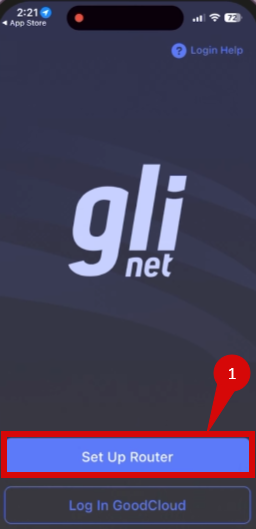
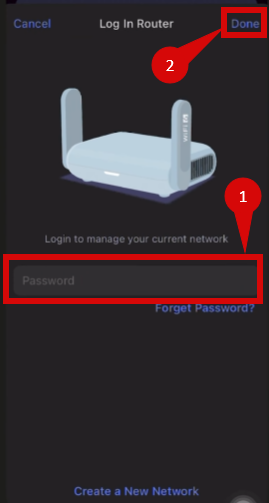
- Download the GLiNet app.
- Open the app, click on Set Up Router (step 1).
- Log into your routers WiFi (step 1).
- Click Done (step 2).
- Follow through in-app prompts.
- Make sure to configure:
- Internet Connection Type = DHCP (Dynamic IP)
- VLAN ID = 10
- VLAN Prio = 0
- Internet Connection Type = DHCP (Dynamic IP)
3. Access the router’s Admin Panel

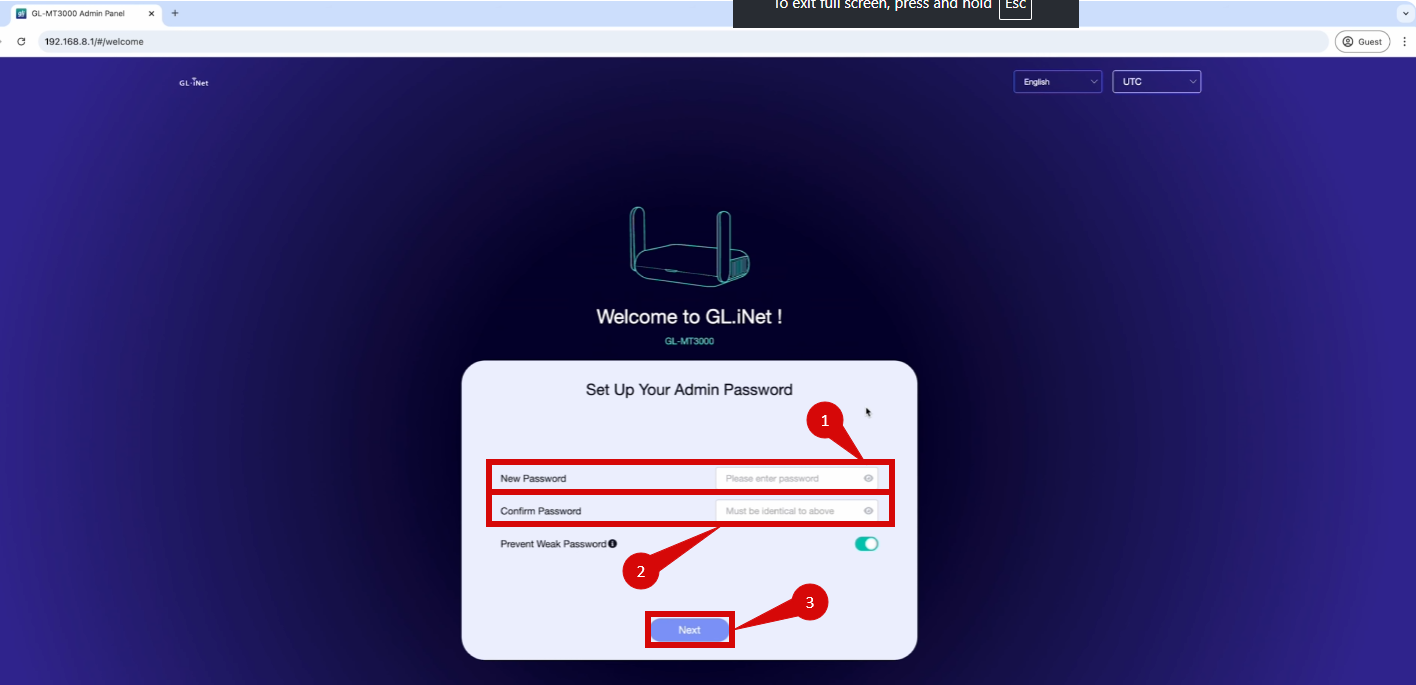
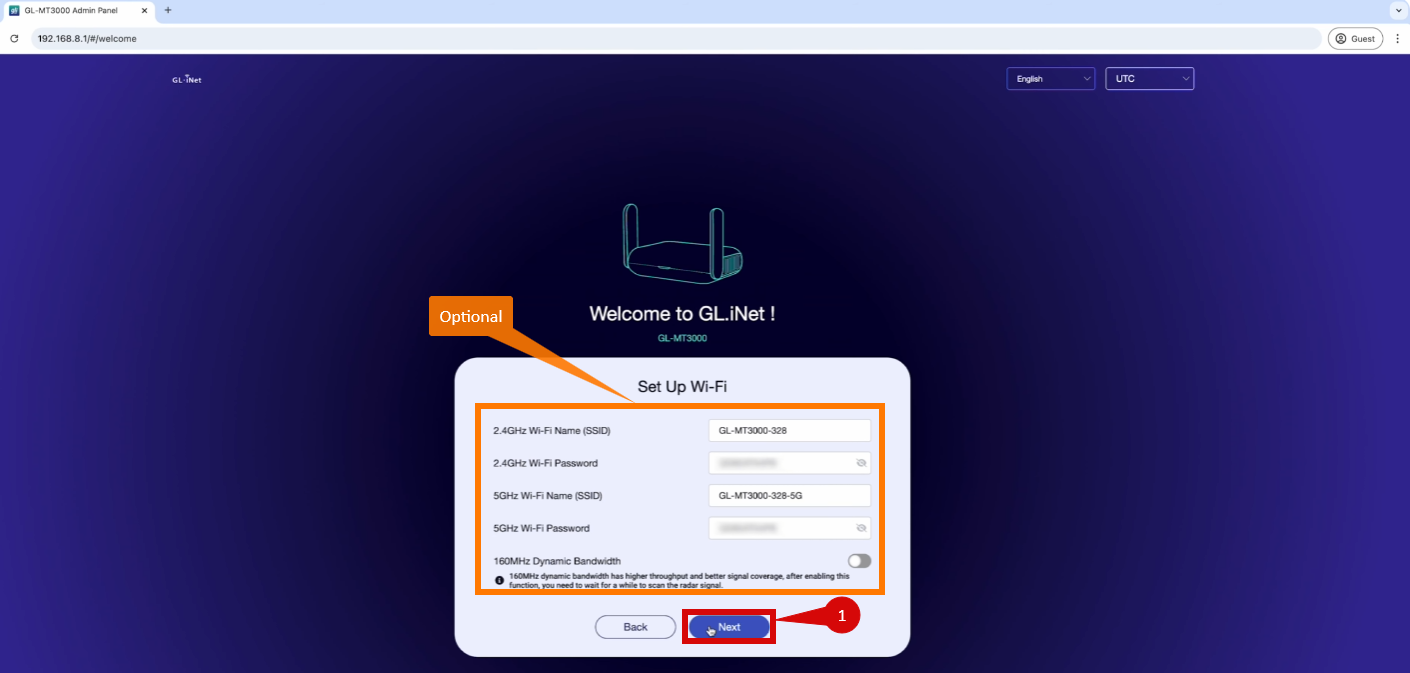
Login:
- Open a web browser on a connected device and enter 192.168.8.1 (or http://router.gl-inel.com) into the address bar.
- Log in using the default credentials:
- Username: (shouldn't need)
- Password: must be created during first-time setup.
- You may be prompted to enter a New Password (step 1 & 2).
- Click Next (step 3).
- As an option, you can change your WiFi network settings if you wish (optional).
- Once you are happy with your WiFi Settings click Next (step 1).
4. Configure router settings via admin panel
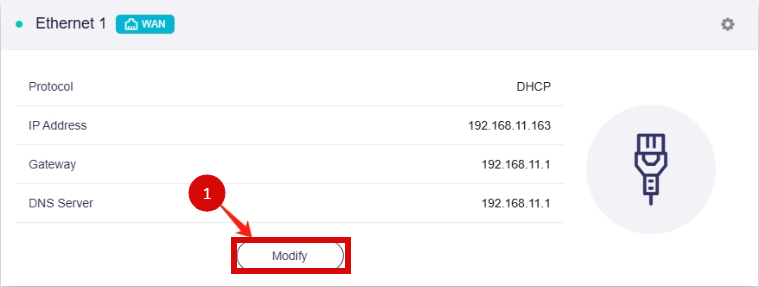
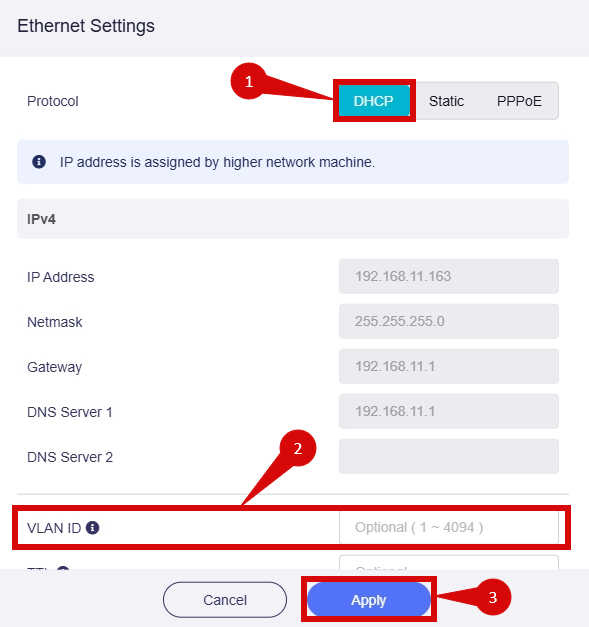
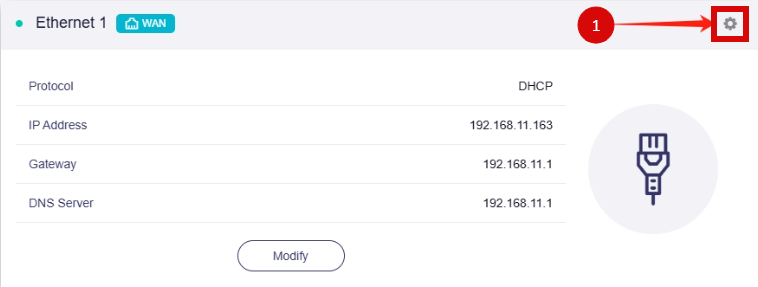
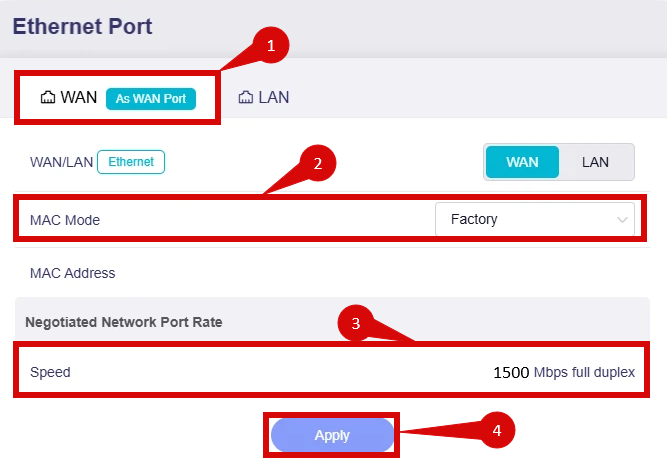
To setup your internet connection follow below steps:
- Navigate to your Ethernet Connection, select Modify (step 1).
- Make sure that Protocol is set to DHCP (step 1).
- Make sure that VLAN ID = 10 (step 2).
- Click Apply (step 3).
How to check more advanced settings:
- Click on the cog image (step 1).
- Ensure that you are on the WAN port settings not the LAN port settings (step 1).
- Set MAC Mode to Factory (step 2).
- Ensure that Negotiated Network Port Rate Speed is set to 1500 (step 3).
- Click Apply (step 4).
5. Save the configuration
- After entering the VLAN and DHCP settings, click Apply/Save to save the configuration.
- The router may restart to apply the new settings. Wait a few minutes for the restart to complete.
6. Verify the internet connection
- Once the router has restarted, check the status of your internet connection by looking at the WAN/Internet LED indicator on the router. It should be solid green.
- On your connected device, try accessing a website to confirm that your connection is active.
7. Troubleshooting (if needed)
If your internet connection is not working:
- Restart both the ONT and the router by unplugging them for 30 seconds and plugging them back in.
- Double-check the VLAN and DHCP settings in the router’s configuration.
- Ensure that the ethernet cable is securely connected to the correct ports (first port on the ONT and the WAN port on the router).
8. Reset the router (if required)
If you cannot access the router due to forgotten login credentials or misconfiguration, reset the router to factory settings:
- Find the reset button at the back of the router.
- Press and hold the reset button for about 10-15 seconds using a pin or paperclip.
- Release the button once the router’s lights start flashing. The router will reboot and return to factory settings.
- Log in using the default credentials (admin/admin) and repeat the configuration process from Step 2.
9. Contact support
If you are still unable to connect, please reach out to our support team at our Support Portal - https://help.simplybroadband.co.nz for further assistance.